ebimui
An immediate-mode ui library to be used in combination with the ebitengine games library. View full demo.
Install
go get github.com/hatchibombotar/ebimuiExample
package main

import (
	"image/color"
	"log"

	"github.com/hajimehoshi/bitmapfont/v4"
	"github.com/hajimehoshi/ebiten/v2"
	"github.com/hajimehoshi/ebiten/v2/text/v2"
	"github.com/hatchibombotar/ebimui/ebimui"
)

type Game struct {
	uiContext *ebimui.UIContext
}

func (g *Game) Update() error {
	g.uiContext.PreUpdate()

	g.uiContext.AddUi(g.uiContext.NewBoxWidget(func(b *ebimui.Box) {
		b.Gap(4)
		b.Padding(4, 4, 4, 4)
		b.LayoutDirection(ebimui.LayoutRow)
		b.FixedWidth(320)
		b.FixedHeight(240)

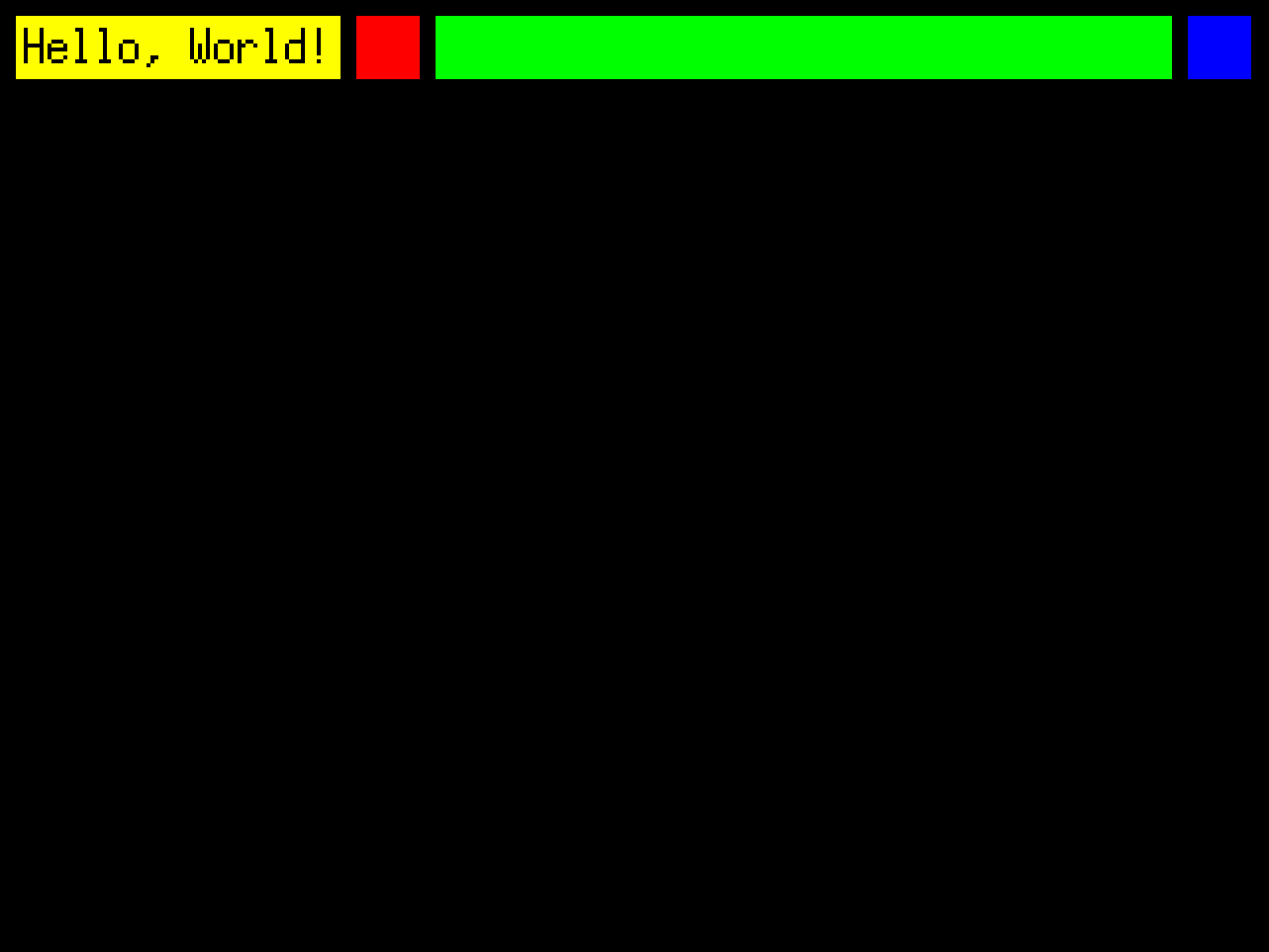
		b.AppendNewBoxWidget(func(b *ebimui.Box) {
			b.FixedHeight(16)
			b.DrawFillSolid(color.RGBA{255, 255, 0, 255})
			b.Padding(0, 2, 0, 2)
			b.AppendNewTextWidget(func(t *ebimui.Text) {
				t.Face(text.NewGoXFace(bitmapfont.Face))
				t.Content("Hello, World!")
				t.Color(color.Black)
			})
		})

		// Red box
		b.AppendNewBoxWidget(func(b *ebimui.Box) {
			b.FixedHeight(16)
			b.FixedWidth(16)
			b.DrawFillSolid(color.RGBA{255, 0, 0, 255})
		})
		// Green box
		b.AppendNewBoxWidget(func(b *ebimui.Box) {
			b.FixedHeight(16)
			b.WidthGrow()
			b.DrawFillSolid(color.RGBA{0, 255, 0, 255})
		})
		// Blue box
		b.AppendNewBoxWidget(func(b *ebimui.Box) {
			b.FixedHeight(16)
			b.FixedWidth(16)
			b.DrawFillSolid(color.RGBA{0, 0, 255, 255})
		})
	}))

	g.uiContext.Update()
	return nil
}

func (g *Game) Draw(screen *ebiten.Image) {
	g.uiContext.DrawChildren(screen)
}

func (g *Game) Layout(outsideWidth, outsideHeight int) (screenWidth, screenHeight int) {
	return 320, 240
}

func main() {
	ebiten.SetWindowSize(640, 480)
	ebiten.SetWindowTitle("Hello, ebimui!")

	g := &Game{
		uiContext: ebimui.NewUIContext(),
	}
	if err := ebiten.RunGame(g); err != nil {
		log.Fatal(err)
	}
}
The above code has the following result: